I love a good ‘What’s in my Bag’ prompt, but as I was using my favorite web tools for the 100th time this month, I realized “What’s on My Bookmark Bar” is just as useful (maybe more??)
The 4 tools that I use so often that they’ve earned a spot in my permanent bookmark bar:
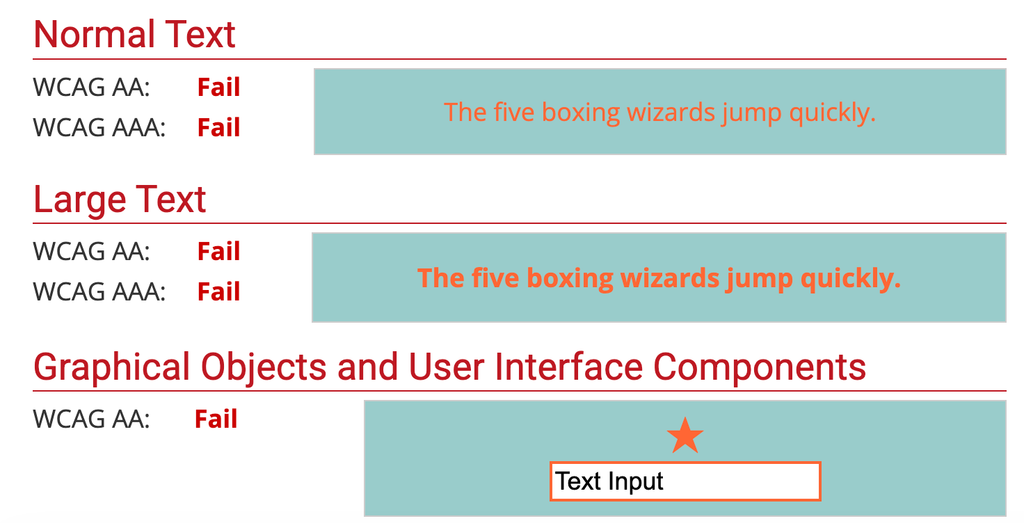
#1 WebAIM Contrast Checker — this is a MUST HAVE for checking legibility/accessibility of link and button colors that pass at AA and AAA levels. My favorite sneaky fail? White text on a bright orange Call to Action button… I would have thought that’d be eye catching! This orange on teal was an easy-to-see fail example:
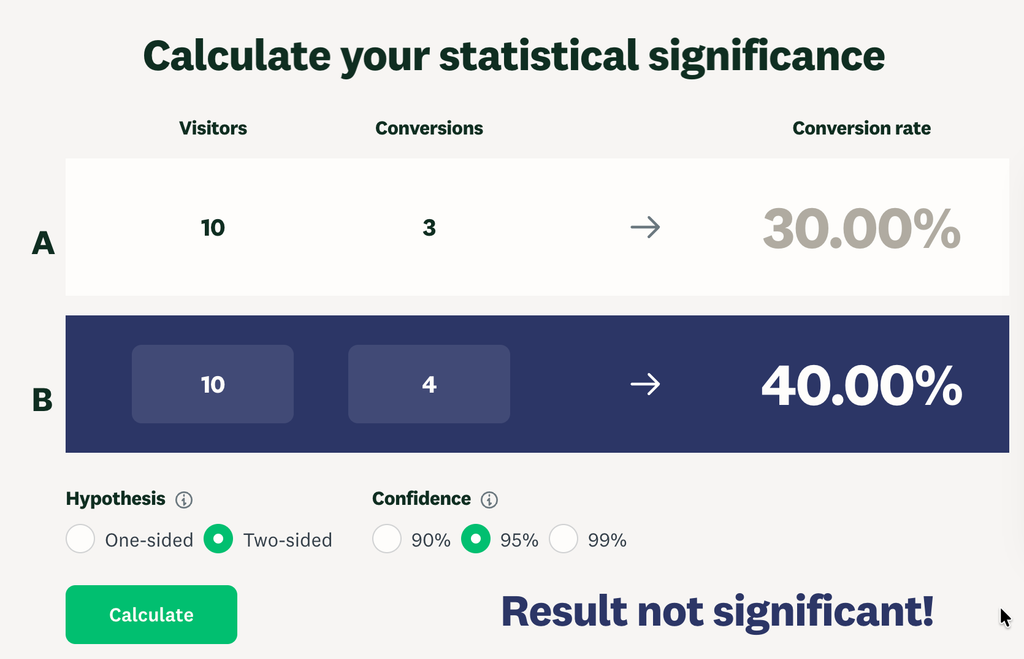
Survey Monkey’s A/B Statistical Significance Calculator — Ok, sure, you’re testing, and B got 10% more clicks than A! But they each only went out to 10 people. So 1 more person clicked B vs A. That’s not learning. That’s deception. Put your audience size on the left and your # of actions (clicks/conversions) on the right and let the tool tell you what Stat class in college took 15 weeks to teach you.
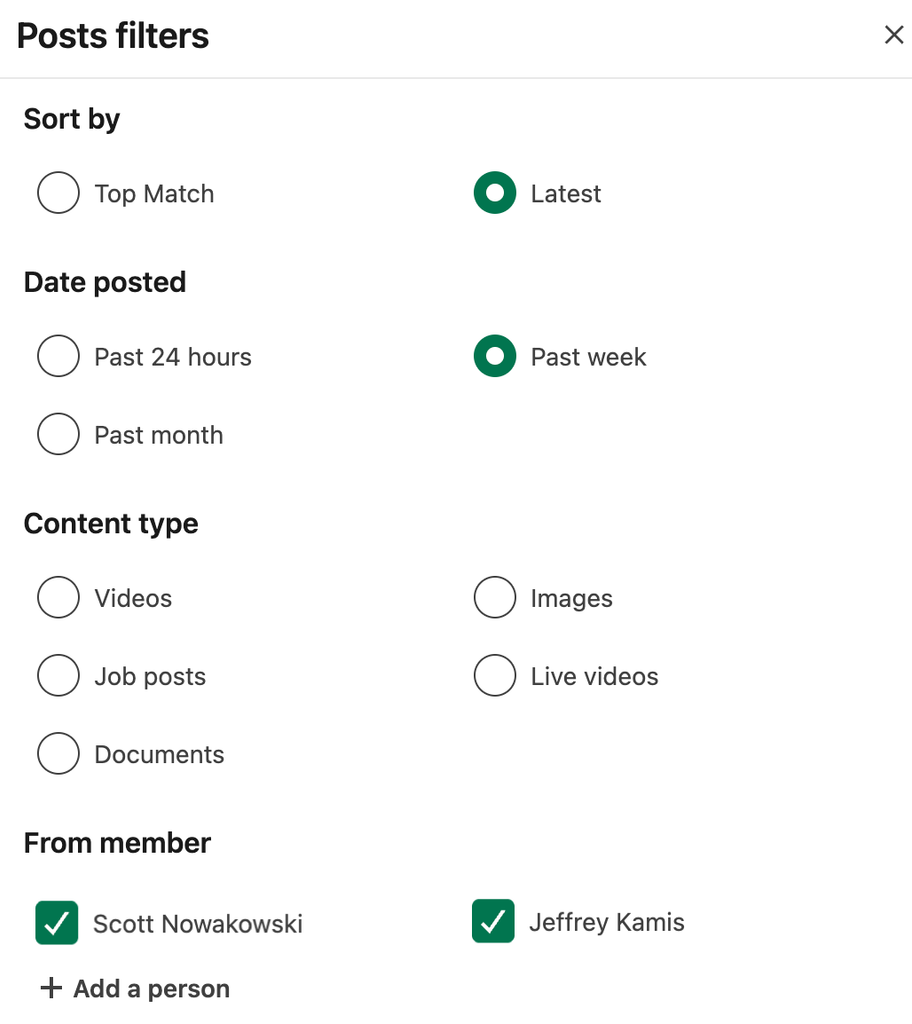
Saved Searches on LinkedIn (1 of 2) — I’ve saved a LinkedIn search of some of my go-to marketing pals, mentors, and partners so I can see their posts in 1‑click (vs waiting for the algorithm to show them to me). Easy to like, engage, and share goodies.
Saved Search (2 of 2) — In the same vein, I’ve saved about 15–20 “dream clients” I’d love to work with. Some I’m directly connected with and some I’m not. These are Marketing Directors or CRM Marketers at food, restaurant, and nonprofit brands I’d absolutely love to work with. (Once Upon a Farm, call me! 💌) This is great prospecting, but even better: it’s real listening. What matters to these folks? How can I help?
Shout out to Maggie Glenski for teaching me how to save a LinkedIn search for #3 and #4 above!
Step by Step How-To: Create a Saved List on LinkedIn:
- Search for anything/any word (you’re just trying to get the search page to come up)
- Click All Filters on the right top
- Change to Filter only Posts by
- Sort by Latest
- Date posted Past week or Past month (depending on how often you want to check/how often they post*)
- From Member: type the names of the contacts you want to follow.
- Click Show Results
- BOOKMARK this URL » Visit it weekly to see what your Dream Clients are posting! Like, comment & share posts from these people. Genuine engagement goes both ways.
- (BONUS: See if you have any 1st or 2nd degree connections at your Dream Clients/Brands/Companies. You could ask for warm intros from your shared contacts!)